

This page is available to Manager and above only (permission
manage — Owner or Manager).What are Mobile SDK keys?
Mobile SDK in the console sidebar is the screen where you issue and manage the API key used by the OneS1ght SDK embedded in your app. The key has the formock_sdk_..., and the list shows it masked so only the first and last few characters are visible.
For how to wire it into your app, see the Mobile SDK integration guide.
The top of the screen shows the SDK connected devices count (based on active production API keys),
and the key list is split into Active / Revoked tabs.
Issuing a key
Follow the numbered order in the image below.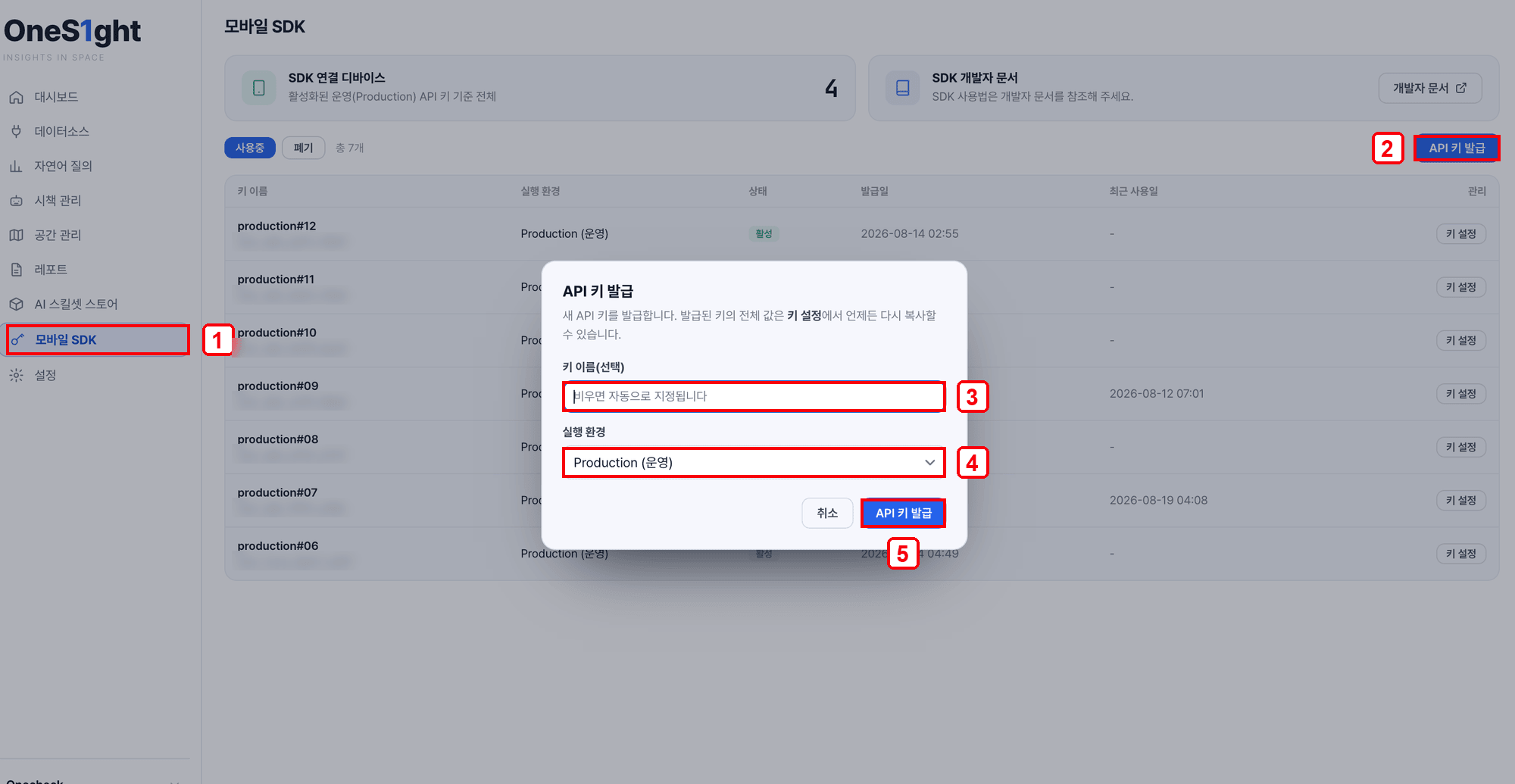
Issuing a key — 1 sidebar [Mobile SDK] · 2 [Issue API key] · 3 key name (optional) · 4 environment · 5 [Issue API key]
1
Open the Mobile SDK screen
- Go to Mobile SDK in the console sidebar.
- Click [Issue API key] at the top right.
2
Set the name and environment, then issue
- Key name — leave it blank and one is assigned automatically (for example,
production#12). - Environment — choose Production for a shipping app.
- Click [Issue API key] and the key is added at the top of the list.
Reviewing, editing and revoking a key
Click [Key settings] on a key in the list to see its full value, change the name and environment, or revoke it.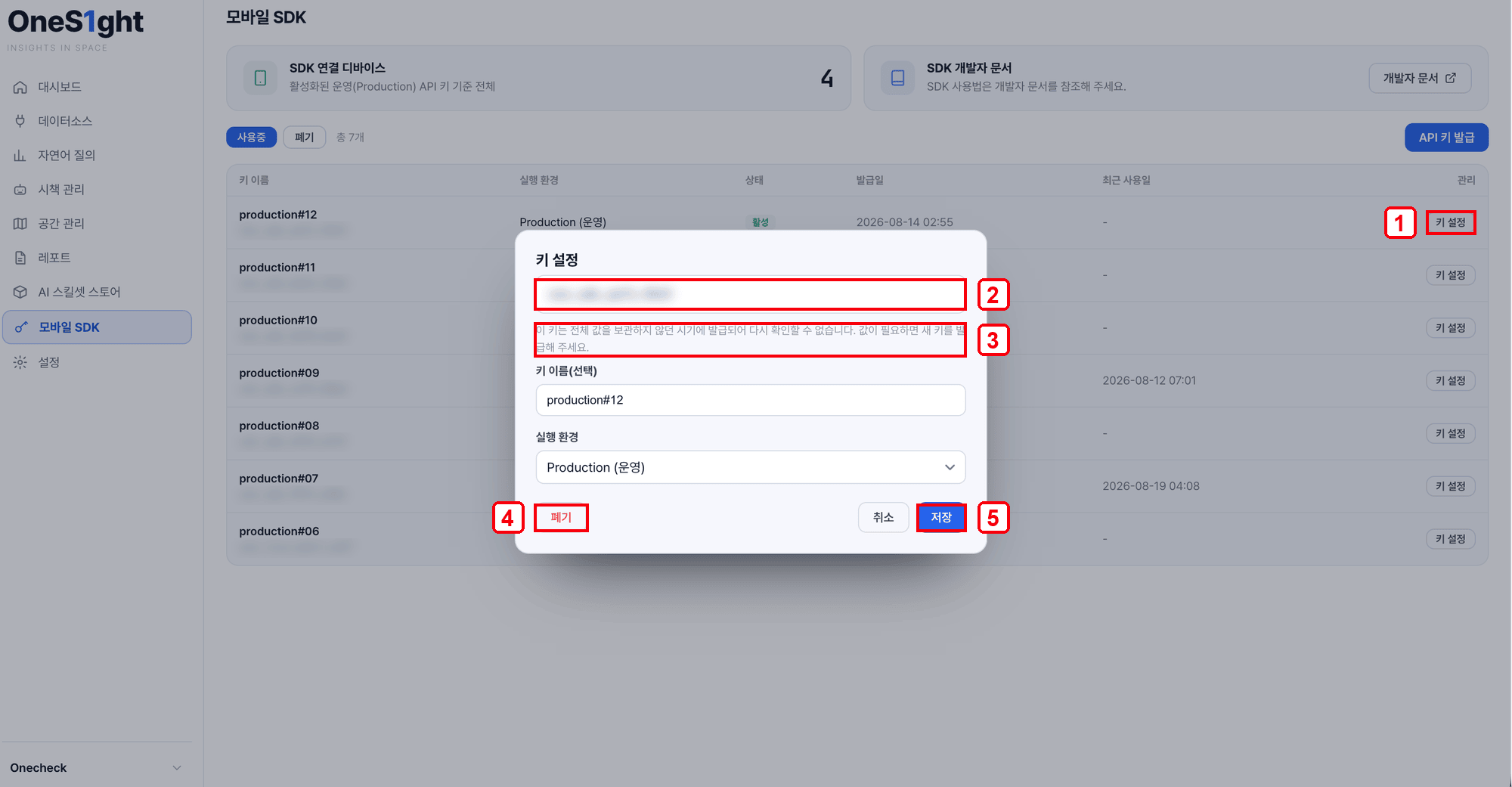
Key settings — 1 [Key settings] · 2 full key value (copy) · 3 legacy key notice · 4 [Revoke] · 5 [Save]
Your changes take effect only after you click [Save].
Some keys issued in the past cannot have their full value shown again. They were created while key values were not being stored,
and the screen says “issue a new key if you need the value”. In that case, issue a new key and use it instead.
What the list shows
Integration guide
Mobile SDK integration guide
How to integrate positioning in your app with the SDK key you issued.
Related
Positioning Connection
Register a GeoSpace partner key to link the real floor plan.
Space Management
Edit zones and points on the floor plan.